
Tricky Relax Challenge Games
stick hunterCasual
4.1141.00 Reviews
- Version
- 6.0
- Installs
- 10.00M
- Age Rating
- Everyone
Screenshots
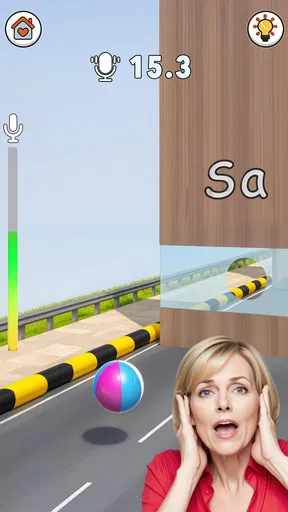
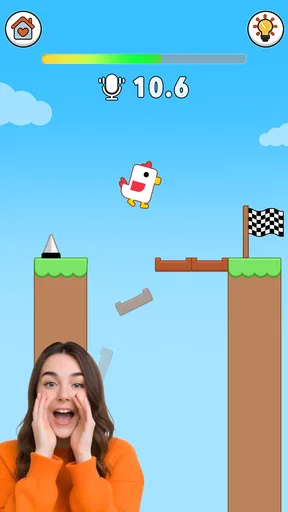
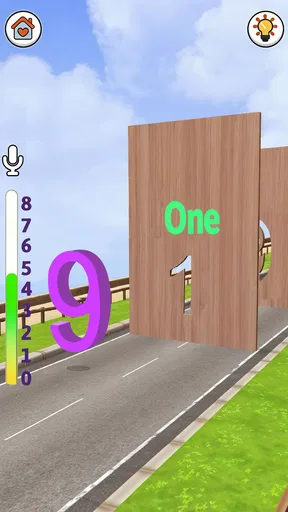
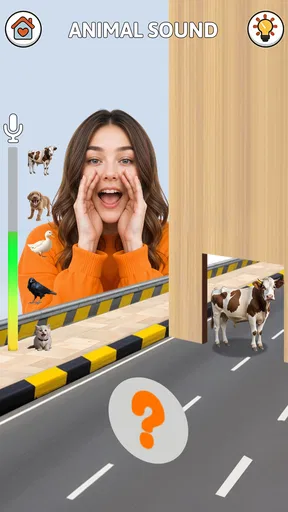
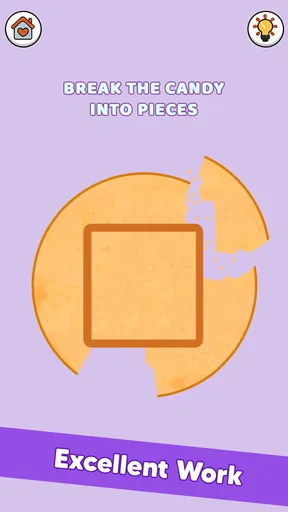
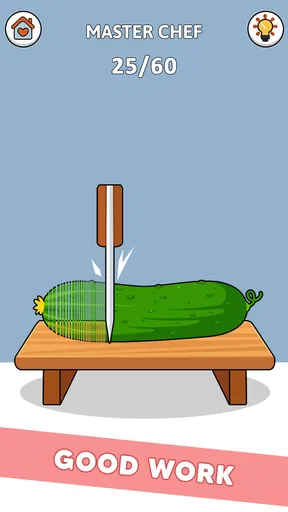
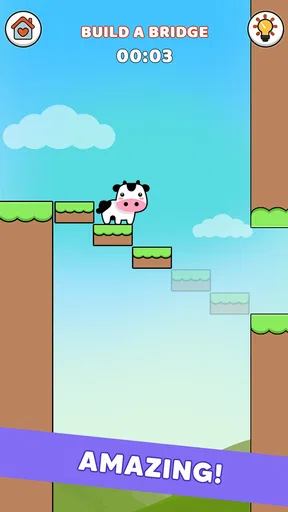
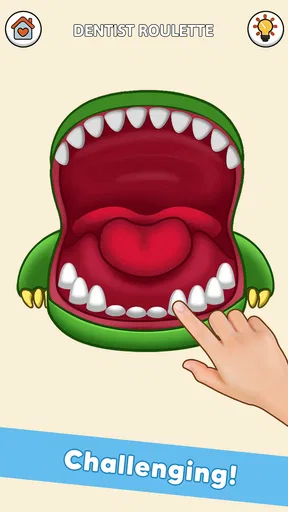
Our Review of Tricky Relax Challenge Games
 Analysis by Appyee
I approached Tricky Relax Challenge Games as a quick casual game for the moments when I want something light but still mentally engaging. It brings together short, puzzle-like challenges rather than asking me to commit to a long story, a complex strategy system, or a competitive match. That makes it easy to open for a few minutes, try a handful of tasks, and leave without losing the feeling of progress.
The game comes from stick hunter and is free to download, with optional in-app purchases priced at $2.99 per item. It is rated for Everyone, runs on Android 7.0 or later, and its current version is 6.0. With an average rating of 4.1 from around 97 thousand ratings and more than 10 million installs, it has clearly found an audience among people who enjoy bite-sized casual challenges.
How the challenge format feels in everyday use
I find the short-challenge format easiest to enjoy when I treat each task as a small change of pace, not a test I need to ace. That makes the game useful for brief pauses, while also explaining why a challenge that calls for close attention may feel less relaxing than expected. The next section looks at how that balance plays out in ordinary sessions.
Readable enough for short, focused sessions
The biggest appeal for me is the compact format. I do not have to remember a complicated control scheme or study a large map before playing. The attraction is the variety of small challenges and the need to notice what each one is asking. That makes the first few minutes approachable, especially when I am waiting for an appointment, taking a break from work, or winding down before bed.
Its presentation is built around quick understanding rather than a deep tutorial. I can usually look at a challenge, identify the obvious objective, and then test an idea. That rhythm suits players who prefer learning by doing. It also means the game can be more mentally demanding than its relaxed label initially suggests: the controls may be simple, but the solution is not always the first thing I see.
For readers who are concerned about navigation, this is a useful distinction. A casual game can be easy to launch while still relying on visual attention and fast interpretation. I found the short format less intimidating than a traditional puzzle game with many menus, upgrade screens, or layered systems. However, anyone who needs large text, strong contrast, or highly adjustable interface elements should examine the actual display on their own device before settling in for long sessions.
I also like that the game does not require the kind of planning associated with larger alternatives. A conventional brain-training app may organize activities into routines and progress charts, while a full puzzle adventure usually expects more time and concentration. This title sits between those options: it offers variety and surprise, but without making me build a long-term strategy around it.
Simple controls, but not always simple timing
From an accessibility point of view, the low-complexity control approach is a helpful starting point. Someone who dislikes virtual joysticks, multi-button layouts, or gesture-heavy action games may find this style less overwhelming. The casual category also makes it a natural candidate for shared play: I can hand the phone to a friend or family member and explain the immediate goal without teaching an entire game.
That does not make every challenge equally comfortable. Short tasks can still depend on accurate tapping, dragging, quick reactions, or recognizing a visual clue. Players with limited dexterity may do better when they slow down, use a stable grip, and avoid playing while walking or holding the phone in one hand. If a particular challenge depends on speed, the experience may feel less relaxing than the store summary suggests.
My practical tip is to treat the game as a collection of different demands rather than one consistent exercise. When a challenge feels awkward, I would not assume the whole game is unsuitable. I would first try a larger screen, landscape or portrait orientation if the game permits it, and a quieter environment. The same task can feel manageable at a desk and frustrating on a crowded bus.
Why the variety works better than a single puzzle loop
The all-in-one structure is more valuable than it sounds because it prevents the experience from becoming tied to one skill. If I am bored by a standard matching game, I can still enjoy a challenge that asks me to inspect a scene or rethink an obvious action. That variety is also useful for mixed-age households, where one person may prefer observation and another may enjoy quick problem solving.
There is a trade-off, though. A focused puzzle app often gives clearer feedback about improvement because it repeats one mechanic and gradually increases its difficulty. Here, the changing challenge types make the experience fresher, but they can also make progress feel less measurable. I play it for moment-to-moment amusement, not for a carefully structured training plan.
Using it during real breaks
A realistic use case is a ten-minute break between tasks. I can start a session, attempt several challenges, and stop when my attention returns to work. That is more convenient than launching a story-driven game, where leaving midway may interrupt a level or waste a carefully prepared setup. It is also less demanding than an online multiplayer game, where other players depend on me staying connected and focused.
For relaxation, I recommend choosing a time when I am not already overstimulated. The visual puzzles may distract me from a stressful thought, but a difficult or time-sensitive task can have the opposite effect. I get the best result when I approach it as a playful reset rather than a test I must complete perfectly.
There is a useful way to make that break fit a busy day: decide beforehand how long I want to play, rather than waiting for the game to feel finished. A short casual session works best when it has a natural stopping point in my schedule. If I am already late or need to keep checking messages, even a compact challenge can become another interruption instead of a pause.
What different players should expect
Young players can appreciate the immediate goals and the Everyone age rating, while adults may enjoy the combination of quick entertainment and small mental surprises. I would still supervise younger children in shared use, not because the rating suggests mature content, but because any game with optional purchases can be easier to manage when an adult controls the device and spending settings.
Older players who want a low-pressure activity may find the short challenges more approachable than action games with complex controls. At the same time, visual interpretation and precise touch input can remain obstacles. For someone with reduced vision or hand mobility, the right question is not simply whether the game is casual; it is whether the particular challenges remain legible and controllable on that person’s phone.
It can also work for someone who rarely plays games but enjoys solving a small visual riddle with another person. Passing the phone back and forth gives the task a social angle without requiring anyone to learn a lengthy ruleset. That is a better fit than treating it as a group party game: the appeal is an occasional shared puzzle, not a guaranteed stream of conversation or competition.
Where the experience may fall short
The main limitation is that variety does not automatically equal broad accessibility. A game can offer many mini games while still asking the player to distinguish small details, react within a narrow window, or use movements that are uncomfortable. I would not recommend it as the first choice for someone specifically searching for adjustable text, extensive contrast controls, alternative input methods, or a fully predictable pace.
There is also a risk of uneven enjoyment. One challenge may suit my mood perfectly, while the next may feel irritating because it emphasizes a skill I do not enjoy. In a more focused app, I can usually choose a favorite mode and stay there. Here, the appeal comes from the mixture, so players who want complete control over the type of puzzle may prefer a dedicated logic, word, or number game instead.
The free entry is convenient, but the optional $2.99 purchases per item are worth keeping in mind. I would begin with the free experience and decide whether the extra content genuinely adds value to my routine. For a person who wants an entirely purchase-free environment, the presence of optional transactions may be a reason to choose a simpler offline puzzle alternative or to configure device-level purchase restrictions first.
Before handing the phone to a child, I would also check the device’s purchase controls and agree on whether spending is allowed. That small bit of preparation is more useful than assuming a free download means every part of the experience is free. For my own use, I would treat purchases as optional extras and avoid buying anything until I know I enjoy returning to the game.
How it compares with familiar casual alternatives
Compared with a classic match-three game, this title is less repetitive and more dependent on noticing the rule of each individual task. Compared with a word puzzle, it asks for broader visual and interactive responses rather than vocabulary. Compared with a brain-training app, it feels less like a scheduled exercise program and more like a grab bag of diversions.
That comparison helps clarify who should download it. I would choose this game for variety, quick sessions, and the pleasure of being surprised by a small trick. I would choose a dedicated puzzle app when I want a consistent difficulty curve, detailed performance tracking, or the ability to practice one specific skill. I would choose a calm, turn-based game when I need to avoid time pressure altogether.
The distinction matters if I am choosing something for a particular goal. Someone hoping to build a steady daily routine around one skill will probably get more direction from a focused brain-training or logic app. Someone who simply wants a few unrelated challenges to fill a pause may find the changing format more appealing. It is less a replacement for those specialized options than a different kind of casual pick.
Small habits that improve the experience
I found three habits particularly useful. First, I play with notifications and other distractions reduced, because a missed visual detail can make a challenge seem unfair when I simply was not looking closely. Second, I keep both hands available for tasks that require more precision instead of trying to play while carrying something. Third, I stop after a frustrating run rather than repeatedly tapping at the same problem; returning later makes the game feel more relaxing and often helps me see the intended idea.
A fourth useful approach is to use it as a social prompt. Instead of silently chasing a score, I can show a challenge to someone nearby and compare how each of us interprets it. That works especially well when the game is being used by a family with different ages or abilities, because people can contribute observations even if one person is not comfortable handling the phone.
If I am stuck, I try to describe the visible goal in plain language before tapping again. That quick pause can separate a genuine puzzle from a rushed misread, and it prevents me from repeating the same unsuccessful input without thinking. I would not turn every level into a prolonged analysis session, though; if solving it stops being fun, taking a break is more in keeping with the game’s casual role.
Device, environment, and comfort matter
The minimum Android requirement of 7.0 makes it relevant to many older Android devices, but compatibility alone does not determine comfort. Screen size, brightness, touch sensitivity, and the condition of the phone can all affect a visually oriented casual game. A small display may make details harder to inspect, while a bright public space can make subtle elements less noticeable.
I would test it in the setting where I actually expect to use it. At home, I can adjust my posture and take breaks. On public transport, movement and glare may make precise interaction harder. In a waiting room, the short format is ideal, but sound and privacy can influence whether I want to play. These situational factors are easy to overlook when judging a game only from its download page.
For a first try, I would choose a quiet place and hold the phone at a comfortable distance instead of judging the game during a rushed commute. If the details are difficult to see or the controls feel awkward even under those conditions, that is a practical sign to look for a game with clearer accessibility options. A casual label should not be a reason to push through discomfort.
My inclusive verdict
After spending time with it, I see Tricky Relax Challenge Games as a flexible casual option rather than a universal relaxation tool. Its strongest quality is the ability to turn a few spare minutes into a series of small mental diversions without demanding a long commitment. The variety makes it more interesting than a single repetitive loop, and the straightforward entry point can suit people who avoid complicated games.
Its inclusive appeal has clear boundaries. Players who benefit from short sessions, simple interaction, and changing visual challenges may enjoy it, especially on a comfortable screen and in a calm environment. Players who need extensive accessibility controls, dislike time-sensitive input, or want a consistent puzzle type should look toward a more specialized alternative.
For me, the best way to use it is deliberately: play when I want a brief distraction, keep the phone steady, take breaks when a challenge becomes tiring, and treat the optional purchases as a choice rather than part of the basic appeal. With that mindset, this free casual game earns a recommendation for relaxed experimentation. It is not a substitute for a carefully designed accessibility-focused app, but it is an approachable collection of quick challenges for players who value variety over structure.
Verdict
Strengths of Tricky Relax Challenge Games
- Short levels make it easy to play during quick breaks.
- Simple controls are suitable for players of different ages.
- Unexpected solutions keep familiar puzzle ideas feeling fresh.
- Lighthearted presentation makes the game feel casual and approachable.
- Progressive challenges provide a satisfying sense of improvement.
Limitations of Tricky Relax Challenge Games
- Some puzzles may rely on trial and error rather than clear logic.
- Repeated mechanics can make longer sessions feel somewhat predictable.
- Hints or retries may be limited, depending on the game mode.
- Small visual details can occasionally be easy to overlook on phones.
- Players seeking deep strategy may find the puzzles relatively simple.
Other Releases by stick hunter
View All
Mini Antistress Relaxing Games
Casual4.2

ASMR Makeover: Skincare Games
Casual0.0
Similar Picks in This Category
View All
My Talking Angela
Outfit7 Limited4.2

My Talking Tom
Outfit7 Limited4.3

Pou
Zakeh4.2

My Talking Tom 2: Pet Game
Outfit7 Limited4.3

Candy Crush Saga
King4.6

Bridge Race
Supersonic Studios LTD4.1
Frequently Asked Questions
What is Tricky Relax Challenge Games?
Tricky Relax Challenge Games is a casual puzzle collection designed to combine relaxing visuals and sounds with short, sometimes misleading challenges. Instead of following the most obvious solution, you often need to inspect the screen carefully, experiment with objects, and think creatively. The game is suitable for quick sessions and generally appeals to players who enjoy brain teasers without a complicated story or demanding controls.
How do you play Tricky Relax Challenge Games?
Gameplay is mainly based on tapping, dragging, swiping, and interacting with items shown in each level. Some puzzles can be solved immediately, while others use hidden clues, unexpected reactions, or deliberately confusing instructions. Progress usually comes from testing different actions rather than relying only on logic. If you become stuck, the available hint system may help, although hints can vary depending on the version installed.
Is Tricky Relax Challenge Games suitable for children?
The simple controls and colorful presentation make Tricky Relax Challenge Games accessible to many younger players, but parents should still review the store rating and the content shown in their region. Puzzle difficulty can be unpredictable, and some levels may encourage trial and error. It is also worth checking advertising, in-app purchase, and privacy information before allowing children to play independently.
Does Tricky Relax Challenge Games require an internet connection?
Many casual puzzle games can launch and offer at least part of their content offline, but advertisements, analytics, updates, hints, or additional features may require an internet connection. The exact behavior can depend on the platform and the current app version. Before traveling or playing without mobile data, open the game in airplane mode and check which levels and functions remain available.
Is Tricky Relax Challenge Games free to download?
Tricky Relax Challenge Games is generally presented as a free-to-download casual game, but free access may be supported by advertisements or optional in-app purchases. These purchases can potentially relate to hints, removing ads, or other convenience features, depending on the release. Before downloading, review the official Google Play or App Store listing for the current pricing, permissions, age rating, and subscription details.
Play our best games!


